Find any QSO
Filter by any field and combine conditions, save filters, sort by several columns. The whole logbook in one list, no pages.
For Logger32 users
Find, change and report on thousands of QSOs at once, and log new ones, right in the logbook Logger32 uses. Keep logging in Logger32: the editor works beside it, on the same logbook.
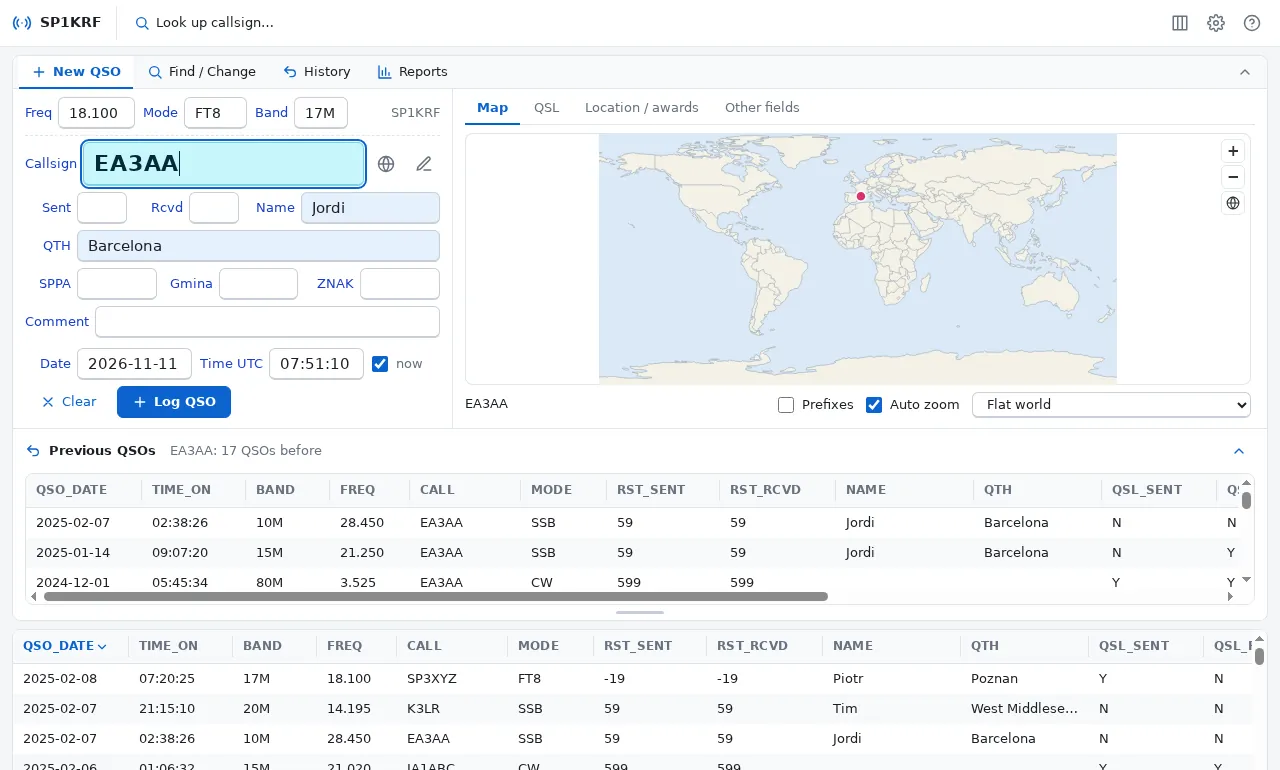
Keep logging in Logger32 as always. Use the editor for what is slow or hard there. Both work on the same logbook file: nothing to export, import or convert.
 Logbook EditorFinds, changes, reports
The editor opens the logbook Logger32 uses (the one named in Logger32.INI), with Logger32's own columns, fonts and field names.
While Logger32 runs, the editor only shows the logbook. Close Logger32 to change it; Logger32 takes in the changes the next time it opens the logbook.
Changing hundreds of QSOs, filling countries and zones, counting for awards: what takes many clicks in Logger32 is one step here, with a preview and undo. That speeds up your work with Logger32.
The editor brings the VsamEx-SQLite library, which keeps Logger32's logbook in an SQLite file. Install it from the editor; the original VsamEx.dll is kept and can be put back at any time.
Filter by any field and combine conditions, save filters, sort by several columns. The whole logbook in one list, no pages.
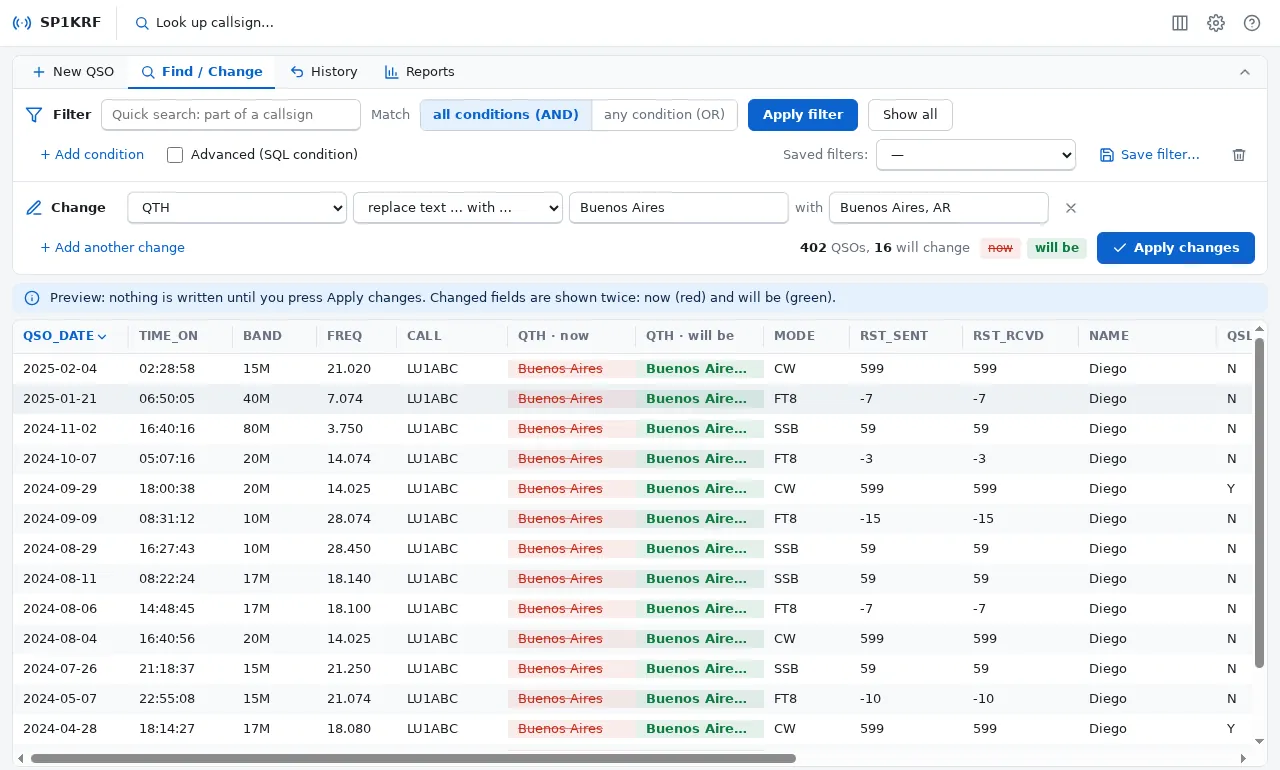
Set, clear, replace or copy fields in all QSOs of a filter. You see every change first: now in red, will be in green.
A New QSO form like Logger32's, with the previous QSOs of the callsign, name and QTH from the last contact, the band from the frequency.
Country, zones and prefix from the callsign, LoTW and eQSL users, and a map with the distance and direction to the station.
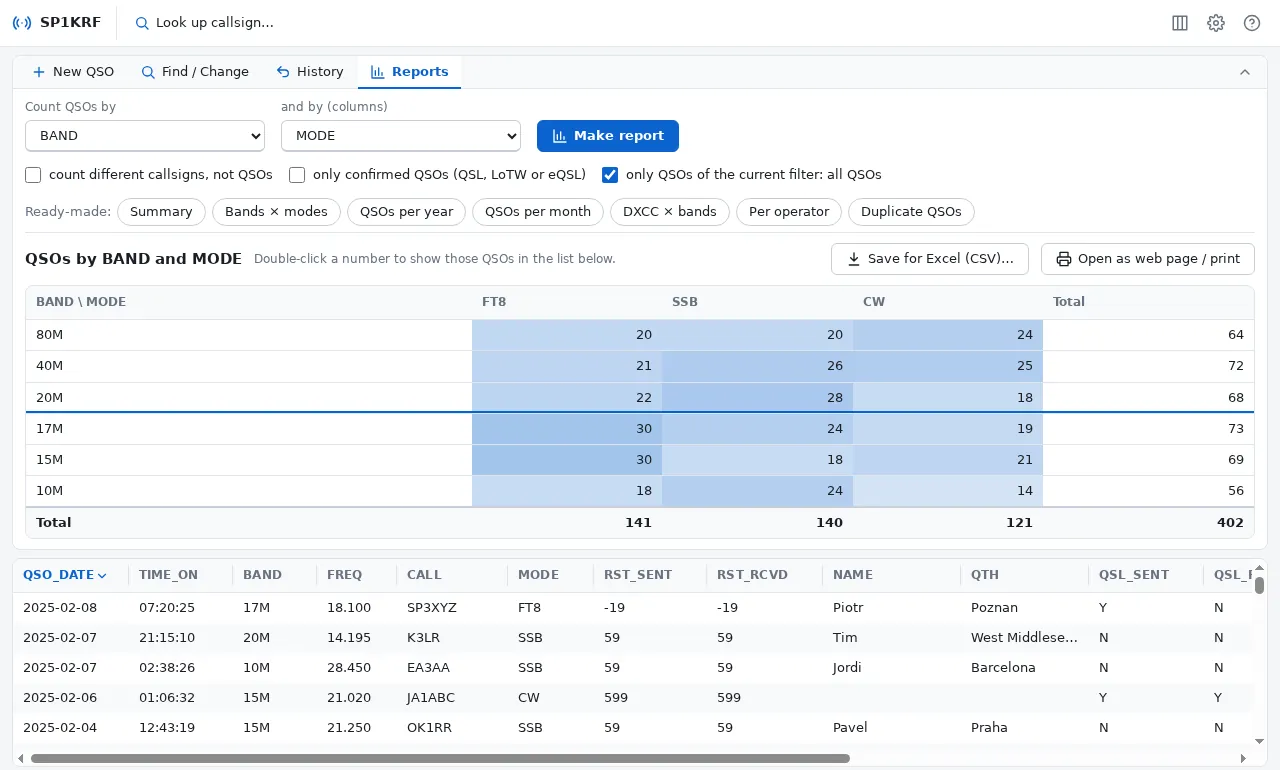
QSOs by band and mode, DXCC, year, month or operator, different callsigns, duplicates. Save for Excel or print.
The history keeps every change. Undo any one of them, at any time; the undo is a change you can undo too.
Also: import and export in ADIF and CSV · QRZ.com and HamQTH lookup · Logger32's columns, fonts and colours · light, dark, high contrast and large text.
Pick the QSOs with a filter, describe the change, and the list shows exactly what will change. Nothing is written until you press Apply changes, and then it is one step you can undo.
Count QSOs by any field and by a second one. The biggest numbers stand out; double-click one to list those QSOs.
Updates by themselves from the portal.
Get-FileHash on it: it must show this SHA-256.10bc755a0e04d11bc1a14b93e375825cdee74954863dd140413f10c0285d7471It isn't signed, so Windows may warn: More info > Run anyway.
For you only needs no administrator. A newer version installs over the older one.
The one named in Logger32.INI. Close Logger32 before changing anything.
Every version is signed with the publisher's private key. The editor carries the matching public key and refuses anything else.
The downloaded installer must have exactly the SHA-256 that was signed, or it is deleted unused.
In the editor, File > Settings > Portal: tell me, install when I close the editor, or never. Without a portal address nothing is ever asked.